
In the first half of 2026, 43.4 million French online accounts were hacked according to a study by Surfshark reported by Le Parisien, compared to 26.7 million in the second half of 2025. This acceleration in data theft reshapes the risk landscape for individuals. Phishing accounts for nearly a third of assistance requests on Cybermalveillance.gouv.fr, with a 71% increase in one year.
Ransomware, on the other hand, primarily affects organizations and is absent from the ranking of threats targeting individuals.
Bank fraud and fake advisors: a rapidly rising threat
The 2025 activity report from Cybermalveillance.gouv.fr ranks scams involving fake bank advisors and transfer fraud (fake bank account details) among the most dynamic threats: each records annual requests in the five-digit range, with increases exceeding 150%.
The typical scenario relies on social engineering. A phone call impersonates your bank’s number, and a pressing interlocutor asks you to “validate” a security operation. No antivirus can block this type of attack because it does not involve any malware. Protection relies on a reflex: hang up and call the official number of the institution.
Resources like cyberspass.fr help familiarize yourself with these manipulation mechanisms before facing them, which remains the most reliable defense against this type of fraud.
Password managers and multifactor authentication: what truly changes the level of protection
Creating a twelve-character password with uppercase letters and symbols is useless if that same password protects five different accounts. When a database is breached (and the volumes of compromised accounts in France show that this happens on a large scale), attackers automatically test the recovered credentials on other services.
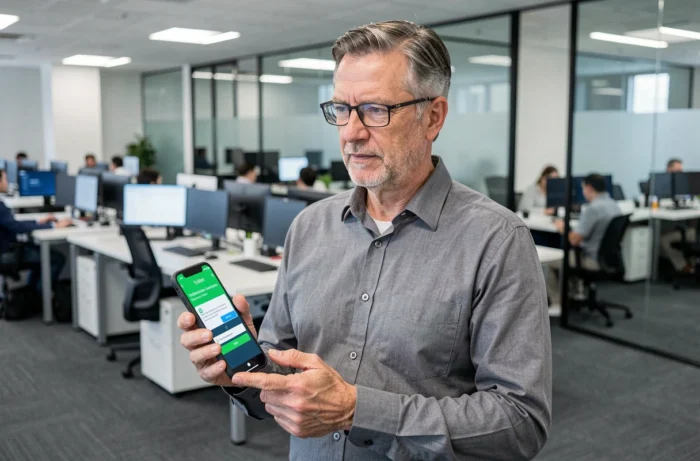
A password manager generates and stores a unique password for each service. You only need to remember one master password. Multifactor authentication adds an extra layer: even if the password is stolen, access to the account remains blocked without the second factor.
Which second factors to prioritize
- An authentication app (TOTP) on the phone, which generates a temporary code renewed every thirty seconds, without relying on the mobile network
- A physical security key (FIDO2/WebAuthn), which resists phishing because it verifies the domain of the site before responding
- SMS, to be considered as a last resort: it remains vulnerable to SIM swapping, a technique where the attacker obtains a duplicate of the SIM card from the carrier
The TOTP app combined with a password manager covers the majority of risks without requiring additional hardware. The physical key is aimed at high-risk profiles (journalists, activists, executives handling sensitive data).
Updates and attack surface: the link that individuals underestimate
Security updates fix actively exploited vulnerabilities. Delaying an update by a few days may seem trivial. In practice, attackers automate the exploitation of vulnerabilities published in the hours following their disclosure.
Each connected device that is not updated expands the attack surface of the household. A connected TV, a surveillance camera, a Wi-Fi router with firmware that is several years old are all potential entry points into the home network.
Concrete ways to reduce the exposed surface
Enabling automatic updates on all operating systems (computer, phone, tablet) removes the human factor. For connected devices, the approach requires more attention: manually check the router’s firmware at least once a quarter and disable network functions on devices that do not need them.
The European Cyber Resilience Act, which requires manufacturers to provide security updates for the entire expected lifespan of the product, should improve this situation in the medium term. Field feedback varies on the actual implementation timeline, but the text creates a legal obligation for software follow-up for connected devices sold in the EU.

Stolen personal data: understanding what happens after a breach
Most guides stop at prevention. Knowing what happens to stolen data helps calibrate your response. After a breach, credentials are compiled into databases resold on specialized markets. Buyers use them for credential stuffing (automated testing on hundreds of services) or to launch targeted phishing campaigns.
An email and password associated with an e-commerce account allow for reconstructing a partial identity: name, postal address, purchase history. These elements are then used to lend credibility to a call from a fake bank advisor. The cycle of data breach, resale, social engineering forms a continuous loop.
Monitoring the appearance of your credentials in compromised databases (via alerts integrated into password managers or leak notification services) allows you to change a password before it is exploited. This responsiveness significantly reduces the exposure window.
Digital protection is not just a list of stacked defensive gestures. The volumes of compromised accounts in France show that the main risk today lies in the exploitation of already stolen data, much more than in technical intrusion. Prevention, leak detection, and rapid response form a triptych to maintain in parallel, not a sequence to follow only once.