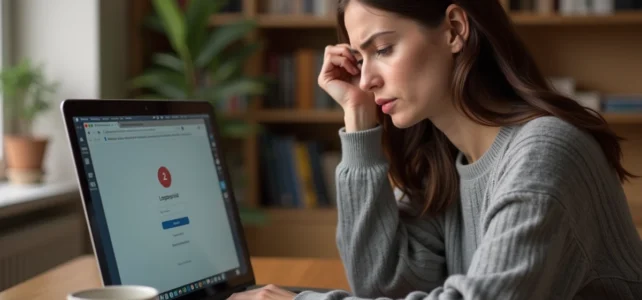
You are trying to log into your Widilo account, but the page shows an error or gets stuck. The Widilo connection issue regularly affects users who haven’t changed their habits. Before contacting customer service, a few quick checks often allow you to regain access in just a few minutes.
Widilo Lockout: What to Do in the First 24 Hours
When a Widilo account becomes inaccessible, the temptation is to make multiple attempts. Bad idea: after several unsuccessful tries, the security system activates an automatic lockout, even if your credentials are correct.
Here’s an orderly method for the first hours following a lockout.
- Wait at least fifteen minutes before trying again. The temporary lockout usually lifts itself after a short break.
- Check your email inbox (including spam): Widilo sometimes sends a message when unusual activity is detected on your account.
- Initiate a password reset via the dedicated form. Use the exact email address associated with the account, not a secondary address.
- If the reset link doesn’t work, check that it hasn’t expired. These links have a limited validity period.
A common trap: using a secondary email address for recovery. Users who sign up with one address and attempt to reset with another never receive the expected link. Many people also share their opinions on the Widilo connection and report exactly this scenario.
If the lockout persists after 24 hours, contact customer service via the form available in the “Customer Service” section of the site. Specify the subject “My account” and describe the situation in detail.

Browser Settings and Widilo Connection
Have you ever noticed that a site works on your phone but not on your computer? The browser is often to blame, and Widilo documents this point in its technical FAQ.
Cookies and JavaScript on Chrome
Widilo requires that cookies and JavaScript be enabled in your browser for authentication to succeed. On Google Chrome, these settings can be found in the privacy settings.
A browser extension may block the connection without you realizing it. Ad blockers, enhanced privacy extensions, or certain VPNs modify cookie behavior. To test, open a private browsing window: if the connection works in private mode, an installed extension is causing the issue.
Desynchronization Between Mobile App and Website
Synchronization issues between the Widilo app and the web version multiply access errors. If you change your password on the site, the mobile app may retain the old authentication token.
The most reliable solution: log out of the app, then log back in with the new password. Clearing the app’s cache also speeds up resynchronization.
Unactivated Email Address: An Invisible Lockout on Widilo
Your Widilo account exists, your credentials are correct, and the connection still fails. Have you validated your email address during registration?
Widilo requires activation by clicking on a confirmation link sent at registration. An account whose email address has not been activated can lead to recurring access issues, without an explicit error message.
The official FAQ recommends a precise procedure: log out, then log back in to be able to click on the confirmation link again. If the initial link has expired, this reconnection triggers the sending of a new link.
This case particularly affects accounts created hastily, for example, to take advantage of a limited-time cashback offer. The user completes their purchase, collects the pending cashback, then discovers weeks later that they can no longer access their space to request payment of their earnings.
Contacting Widilo Customer Service: Which Channel to Use
When technical checks are not enough, customer service remains the recourse. Widilo does not offer a phone number or live chat. The contact form in the personal space is the only official channel.
To access it, log in (if possible) and click on the “Customer Service” tab. You will need to choose from several topics:
- “My account” for connection or lockout issues
- “My cashback” if your earnings do not appear after logging back in
- “My payment request” if a withdrawal is blocked due to an access issue
Specify in the comment field the date of the lockout, the browser used, and the actions already attempted. The more factual the description, the faster the response will be.
If you absolutely cannot log in to access the form, the general contact page of the site remains accessible without authentication.
Check if Widilo is Down Before Any Action
Before resetting anything, a quick check can eliminate an external cause. Third-party sites like TotalBug track real-time outage reports for Widilo.
If other users report a malfunction at the same time, the problem comes from the platform and not from your account. Any action (password change, cache clearing) would then be unnecessary, or even counterproductive if it complicates reconnection once the service is restored.
A simple reflex: also check on a second device (phone if you are on a computer, or vice versa). If the connection fails everywhere, the outage is likely on the server side.
The majority of Widilo connection issues can be resolved with three actions: check the activation of the email address, test in private browsing, and wait in case of automatic lockout. Keep your registration address accessible and a unique password for this account, which avoids most recurring lockout situations.